Monday, March 18, 2013

Tips for online decision making

We started our fourth learning trajectory about learning with social media in the Netherlands 'Leren en veranderen met sociale media'.  It is amazing to see the energy of the people who dive into the first online block. They complain about the time it takes, but they are the ones investing a lot of time in all the assignments! One of the assignment is to work in a group and choose a tool, try the tool and present it lateron after 3 weeks.

It is very hard to make decisions online in asynchronous discussions. In a meeting you propose something and ask around whether everybody agrees and it is done. Or you vote. indexAnyhow a lot of things can still go wrong face-to-face in decision making... I once did a course on it. Online it is even more complicated because you need someone to take the lead online. If you take the lead and do a proposal online, you are not sure when the others will read your proposal and will react to it. Do you want to make a decision democratically with the whole group, it might take ages. If you don't wait ages the danger is that you take a decision to which people don't comply. Hence a few tips for online decision making:
  • Propose something and give a clear deadline for input/reactions.You can also make a proposal to the group but make it clear when people need to respond and that the group will move ahead after this date. It is clear that those who do not respond to this call to participate in the decision loose the opportunity to participate.
  • Use an online poll to collect opinions of the whole group.  If you use a tool like  opinionpower or polldaddy you can quickly make an online poll. If you limit your poll to one simple question, people can react really fast. Again, don't forget to provide a deadline. If you use a poll you know much better what the various opinion in the group are.
  • Organise a synchronous call or chat. It is much easier to use a synchronous moment (when everybody is online at the same time) to make a group decision. Hence you might organise a synchronous moment. The disadvantage of this is that you have to find a date, which is a decision in itself :). But you may use a tool like meetingwizard for this. During the call or chat you can discuss the decision in-depth.
As you can see, the options from top to bottom are becoming more democratic and more time consuming. This is something to weigh against the importance of the decision. Furthermore, there are specialized online tools specifically designed to support complex decision-making processes. A handfull: 
  • Ideedropper - This is a new tool that works as an online suggestion box within an organization or project. Participants can over time add innovative ideas online. After a certain time, a decision may be taken where the decision line is also visible.
  • Weighteddecision - via the matrix you can make a ranking of all options and selection criteria.
  • Synthetron - allows you to prepare complex policy making decisions with larger group of stakeholders.
  • Liquidfeedback - for online referendum. 
  • Powernoodle - is free for small groups. You can ask questions and invite people to provide input. You can start multiple sessions. At one point you can close the question.
  • Uservoice - helps to gather feedback from customers (especially suitable for large numbers of customers). 1 forum is free.

Friday, March 08, 2013

The 21st century trainer: a paradigm shift?

For a client I working on transfering a face-to-face training into an online trajectory. It is a challenge and requires some creativity to not only 'translate' the training, but also improve it. Make use of the affordances of online communication to improve the training. I had a talk with a participant of the old training and she thought it was a pity that the training would be offered online. "previously the training was such a good chance to network and meet new people in the organisation". Talking to her I realized her conviction was that networking is only possible in a face-to-face setting. However, I think it is perfectly possible to network online - that's how I met most of my recent professional contacts.

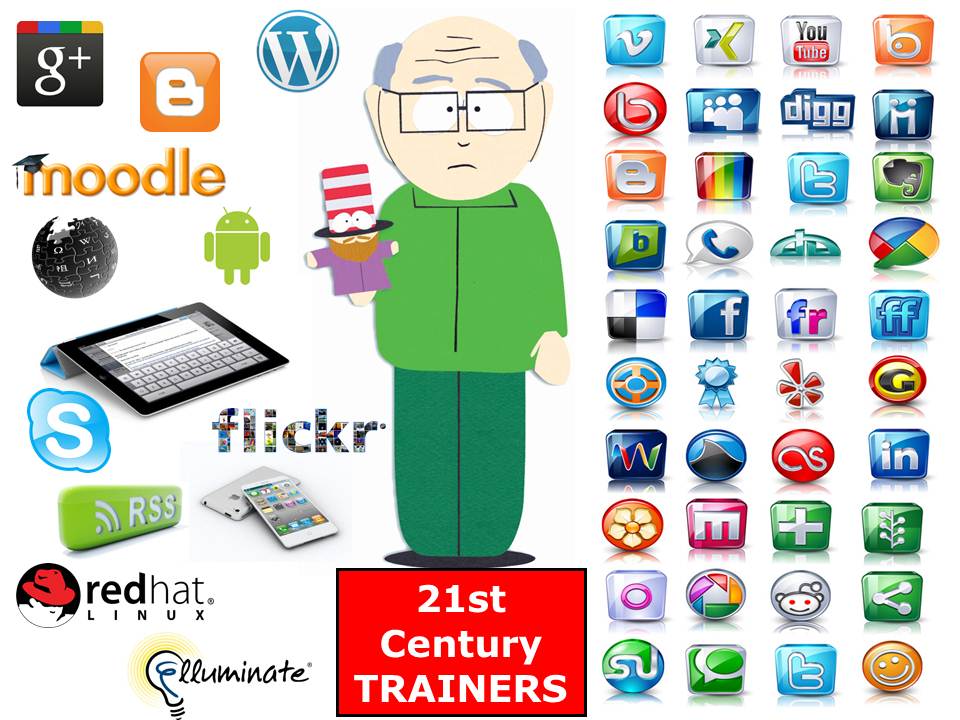
21st-c-trainersA second experience was at a workshop for trainers. We had to design a training for a team to work more client-friendly. A days-training. Nobody seemed to think about having a longer trajectory with online components. I am convinced that the trainer of the 21st century will seamlessly weave together face-to-face and online conversations.

These two experiences inspired me to look at the conviction of the 'old' and the 'new' trainer or facilitator.  (image via allthingslearning). I am convinced that it is quite a paradigm shift, but one which is already taking place.


 Which convictions have already changed?

Thursday, January 31, 2013

New ways of learning about the new Africa- an online interactive learning trajectory

An interactive online learning trajectory for the Ministry of Foreign Affairs
A blogpost written in collaboration with Charlotte Staats, Sibrenne Wagenaar and Robert Dijksterhuis 


When you think about Africa do you think about lions, hunger, poverty and war? Africa is one of the poorest regions in the world, while Africa is the continent with 6 countries in the top 10 fastest growing economies. Within the Ministry of Foreign Affairs, it is important that officials dealing with Africa have actual knowledge of this continent that is developing rapidly. A training day is easy to organise, but potential participants for precisely this subject work at embassies around the world ...  

How to support organisational learning in this case? Fortunately, modern technology is making it possible now to remotely communicate with one another. The Learning and Development Department of the Ministry of Foreign Affairs was this time convinced that online learning should be organised. E-learning? An individual learning approach was not favored and besides, current developments and policy issues are changing constantly, think of the fact that we have a new government in the Netherlands. Experiences with traditional e-learning modules have shown this approach is too static, videos, descriptions and assignments. In the case of "The New Africa" however, it was of great importance to be able to adjust content easy and to co-create new insights with the specialists in the Hague and the embassies. 

Online, interactive and up-to-date In 2011, the Ministry organized a training day on 'the New Africa': 1 trainer, 20 participants, a physical space and a clear program of presentations, assignments, dialogue and two case-contributors. The day was well appreciated. But looking at the potential audience it seemed valuable to try and offer this training online and at a global scale. To this end, the Ministry organised a four-week online training. Important principles
  • easily accessible online from all over the world
  • Participants work within their own time to the training, within certain time period;  
  • Group assignments to promote the group feeling and engagement 
  • Once per week a synchronous activity to stimulate dialogue and engagement
  • Content easy to adjust depending on learning needs of the group; 
  • Objectives to be achieved through discussion and interaction  
  • Didactics tailored online learning: visual and interactive; 
  • Also available for local staff at the embassies: in English.

Design of the online training  moodle
We used Moodle as the main platform, it is an e-learning platform already available within the Ministry, however, it had never been used interactively. An important advantage of Moodle is that the online learning environment is quite easily to adjust without having any specific IT expertise. The team consisted of: a content expert- the strategic policy adviser Africa, an adviser Learning and Development from the Ministry and two external online facilitators who have experience with online learning (myself and Sibrenne Wagenaar). 

We found it important to offer a clear structure: what is the theme, what do we ask from participants because participants were not accustomed to online and self-directed learning. The design was eventually composed of four weeks, with each week having a specific theme. Each week started on Monday with a 10-minute explanation by video by the content expert. Participants could then exchange questions and ideas with each other on the forum. On the second day of every week there was a light exercise offered, such as a quiz where the participants were given a particular graph and had to guess what the graph was about. The third day of the week was reserved for a webinar at a fixed time. This webinar had a guest speaker from practice. The webinars were recorded so participants who could not attend the webinar could watch them afterwards. In addition to the weekly themes, the participants worked in groups on a specific theme of interest, during the last webinar they had space to present their findings to the rest of the group.

And how did it work out? 
A design is always beautiful, but practice is more complicated unfortunately :). A call via the communications channels of the Ministry got a number of 45 participants registered. An excellent start when it comes to interest for this new type of learning, compared to 10 to 15 participants who come to a training day in the Netherlands. Ultimately 30 of the 45 participants (a third from embassy, ​​a third from the Ministry in The Hague and a third from AgentschapNL) participated very actively during the four weeks online. Organizing the webinars took quite some acrobatics - because of the firewall of the Ministry and differences in time zones. As a solution we recorded all webinars, the first webinar got 31 views and the first video 78 views. Online learning is very demanding on the self-directed and self-organizing ability of the participants. The webinars are planned and you can put them in your agenda, but the other learning activities need protected space (time) to participate, which is difficult in the bustle of everyday life. This means that we in the design have deliberately chosen to work on an assignment, a group assignment which calls on mutual responsibility for a successful conclusion. This worked partly. For some it was a good stick and the last 3 days before the webinar a lot of activity was noticed. Others did not succeed in finding sufficient time to engage. In the design and supervision of this type of group assignments we would suggest some improvements for next time. In the evaluation the trajectory scored an average of 8 out of 10, which is actually quite high for the critical civil servants: "Actually it was the first time as I had such a course, I would say That it was more than I expected. It was interesting, interactive and very informative. I liked it. "" A very stimulating way of taking time to look into eevelopments in the most fascinating continent in the world and realizing, that you should more often take that kind of time. New developments put in perspective, That invites to further Top reading ". The design was very well appreciated as well as the expertise of the content specialist and the facilitators. At the lower end, someone who gave score of 6.5 for the course. 'Technology takes too much time "and" for me it was unfortunately very hard to combine with my other work. " It remains a challenge to learn and work online.

Successfactors

What contributed to the relative success of this trajectory? 

One of the factors was cooperation between a content expert from the Ministry of experienced online facilitators. Where the expert was interested in working online, liked to make videos and was involved in the online discussions. The facilitators had affinity with the subject and could so easily think along with the content to offer and questions to ask.Charlotte Staats, Senior Advisor Learning and Development: "My responsibilities as an advisor Learning and Development includes the design of e-learning. If potential participants have little experience with e-learning, it is difficult to determine how and where to start. A breakthrough was the understanding that sometimes you may not from the task side ("developing e-learning") but on the side of cooperation. I knew Robert Dijksterhuis was inclined to learning with social media and that he was eager to try something new. I also knew that the two external facilitators had a background in the field of Development. And my expectations came tru: the collaboration was a nice synergy, which iyielded a great pilot. "A second factor is that we had a fairly large group of participants worked, resulting in online discussions sufficient "mass" was to really make something happen. A large proportion of the participants worked at an embassy, ​​and this group, perhaps because they are quite used to it, had a high tolerance level for technical problems. Robert Dijksterhuis, content expert: "I thought it was a great challenge to start this online training. When you are dealing with a group can see your audience and during your presentation you adapt your speech to the reactions of the participants. This is not possible while preparing videos. This meant that we had to think longer about the presentations, the exact content and the possible questions that they could evoke. Once started, it was very interesting to see the discussions of the participants in the online environment. Nice to see that there really was extensive interaction, including space for critical reflection and deeper discussions. One advantage of online was that more people could participate in the posts, including local staff who rarely if ever participate in training in the Netherlands. Feedback from their daily practice was the route more depth. It would not surprise me if participants would remember this content better than after a days training, partly because it is offered in smaller chunks" Charlotte Staats:" Most important was how the participants experienced the end result. I received many enthusiastic responses ranging from "Finally a course tailored to the embassy! 'To' I learned more online than I thought." I think it was mainly the accessibility of the learning environment and the availability of teachers and facilitators which were the success of this pilot. '

Tips for your own design 

If we could do this online training again, we would have keep many of the design elements: clear rhythm, online discussion, substantive startup, facilitate working in groups. Looking back, there are also improvements to suggest. We formulate them into the tips below.
  • Make explicit that there are different ways to participate online. From very heavy involvement to lurking and reading only what you can use for your practice. Participants felt guilty if they could not participate online "Sorry for the silence but I was in the Netherlands and still have no blackberry / access to email." "Unfortunately I came only yesterday at 1 am home the airport. Online learning is different and thus makes it possible to invite different levels of participation, as in communities. A condition is that there is a large group of participants (30 +) so that there is sufficient activity.
  • For people who participate in a webinar for the first time a lot is happening at once: a conference, a presentation and a chatbox to watch, including the technique which occasionally fails. Attention to this aspect remains important: use the same tool every time, appreciate that everyone succeeds participate, facilitate very clearly all interactions, and during the webinar make a clear distinction between talk about content and technology.
  • Working online in groups deserve extra attention. It allows participants to get to know each other better, and that creates some responsibility. However, it is important to think about the guidance of this group work: to ensure that group members quickly find eachother and take off, facilitate online decision-making processes as much as possible, plan synchronous meeting  moments topdown for the groups.

To end an amusing anecdote of one participant: "I'm going to miss the weekly video on Monday! I really looked forward to it watching the video... while enjoying a cup of coffee! Good start of the week that was! "


Friday, January 25, 2013

10 tools challenge: making youtube playlists

This is my first contribution to the 10 tools challenge. I thought I shouldn't start skipping the first Friday that I had planned for it, though there is always work to do...

Youtube search stories
I immediately knew what I wanted to do: make a youtube search story! This is a video based on strategically chosen search words in Google. This has been very high on my wishlist but I never allowed myself time to make one. I found a nice video explaining how to make it but got frustrated when I couldn't find the 'start your own search story button'. Again by googling I found out via comments on this blogpost that it is no longer possible to create your own search stories. What a pity!

Lesson 1:
There are a lot of cool free tools on the web but there is no garantee that the tools will be available forever..

Youtube playlists
Since I was already into a youtube mood, I thought I'd shift my focus on Youtube playlists. It is very easy to make a playlist on Youtube (explanation here). You simple start a playlist and click on 'adjust playlist' and then 'add video by URL'. This is how you can easily add videos. I created a playlist with humorous videos about social media. Do you have videos to add? Please put the link as a reaction and I will add it to the playlist.

I already posted the link on Twitter and got a few responses like this one about the blackberry helmet with optional safety flag. I furthermore posted it on our facebook page and asked in the social media professionals group on facebook if they have additional suggestions.


Lesson 2
It is extremely easy to create playlists on youtube. The most important thing is to define good topics for playlists.

How will this help me in my work?
I'm going to think about additional subjects and create more playlists

  • It will help me to have a good overview of nice videos to include in presentations and workshops, a personal archive. 
  • It gives you visibility as professional because it is easier and more attractive to share a playlist than to share for instance bookmarks (it is a good Share strategy in the Seek-Sense-Share cycle).
  • It stimulates you to collect a certain type of videos and to ask people for additions.

Friday, January 11, 2013

I will take the 10 tools challenge 2013

In workshops and training sessions about learning through social media I always tell people that you continuously need to invest some time in learning new tools and adjusting your old tools. For instance, experiment with Google plus, or go through your Twitter lists to see who should go out and what type of people are missing. When I say this, I always feel a little guilty because I have a small booklet in which I note down new tools I would like to explore but I never find the time to do so! Though I agree that in facilitating online learning the main focus is on faciliating the process rather than the tool, it helps to know many tools. And some tools may simply be tools to work productively.

When I read about the 10 tools challenge 2013 of Jane Hart I immediately thought I should take this challenge. It will be my 'stick behind the door' (a Dutch expression and I am pretty sure it is not an English expression, but you can imagine it is the stick which keeps the door open and prevents it from closing down..). I already have my list of tools which is really looong but which includes:
  • Idonethis
  • ifttt.com
  • shakespeak
  • thinglinq
  • infographic (make one)
  • Google search videos
Do you have important cool tools I should add to this list?

I will write it down in my agenda and reserve the Fridays for this. Friday is usually a good day for these kind of things. I hope I will get some inspiration from the other bloggers too! When the tool is interesting I will also try and make a handout (in Dutch) to complement all our other En nu Online tool handouts.

Monday, December 10, 2012

Non-verbal communication for online facilitators

At the University I did communication studies as one of my subjects and I always liked non-verbal communication. As someone who is really enormously mirroring others non-verbal behaviours - it made me notice how often I do this. For instance when someone folds her arms and we have an intense conversation, I am also folding my arms. I can also listen with lots of attention - I'm the kind of person who at the end of the party didn't notice all the things going on because I was only paying attention to the people I was talking to.

Non-verbal communication can by via posture, eyecontact, gestures, but also movement or appearance - for instance having long hair as a man - what message does that convey?  In my communications book it is stated that 70% of all communication is non-verbal and that non-verbal signals are 5 times stronger than verbal.

So how does this work for online facilitators and trainers.. What should you do as a facilitator or trainer without this body language? You have no signals whether participants are falling asleep ... Does this mean that you can more easily focus on the content without being distracted or does it rather mean that you miss 70% of the communication and have to deal with 30%? I think this is one of the reason that there are not many trainers yet who have stepped up to facilitate online - they feel lost online - as facilitating in a room where the light is turned off.


Hanna Bervoets, a Dutch columnist had an interesting column last Saturday in the newspaper about nonverbal digital communication. She states that there is something like Dinoco - Digital Non-written communication which she explains as the behavior around sending digital messages that conveys an extra meaning. As an example- someone sends you accidentally a message that was intended for another person which means he (unknowingly) is thinking about you. Or another example - someone sends a tweet and removes it immediately. Meaning: he is nervous or unsure. I found this to be great examples and full of recognition as an online facilitator. If you have made many online hours, you can read a lot between the lines. So there is certainly a kind of meta-communication online, similar to non-verbal communication that you can learn to read as facilitator. I can see from the way of writing of emails from people I work with when they are very rushed / stressed or not. I also know often on a  Skype call when someone is multitasking. What I don't know is whether this requires a new kind of intuition?

Apart from reading between the lines, there are more ways to capture what is going on in a group and what participants are going through which is not communicated in the text. The 5 most important non-verbal channels of an online facilitator are:


  1. Use statistics. Most online environments offer some statistics, eg. the number of times a video is viewed, or that a particular discussion is viewed. Also, often you are able to see how many people have logged in or have responded. For example, you may use Google Analytics for this. You can use this to test the waters and monitor. For instance in a trajectory with 50 participants we had a webinar with 15 participants. The recording however, was viewed 60 times. This means the interest is high but people might not have found the time to participate at that particular hour.
  2. Learn to read digital meta - communication.  If you start to know online habits, you can read between the lines (as I explained above). For instance, I knew in a particular course that a participant contributed every Monday. If this participant logs on but posts nothing, it may be a sign that something is wrong. For others, it may be perfectly normal to log on and yet not post on Monday because they may post later in the week.
  3. Use emoticons and emotions. If you role model online showing your emotions others will also be likely to follow. For example: show that you yourself are enthusiastic about certain developments or have questions. You may also capture some developments that you sense, like everyone being busy with end-of-year stuff.
  4. Ask questions on meta level. You can particularly use tools to ask for quick feedback, for instance,  you can do a quick poll or survey or even call someone to see how he or she is doing. In one project, we had a weekly barometer for the group to measure group emotions and then made adjustments if necessary. Or you may send an occasional email to a participant to get some feedback.
  5. Use synchronous moments.  Synchronous moments such as chats or webinars are very convenient to hear what's going on and receive feedback. But it could also be that you can see who is online (for instance in Ning or Facebook you can see who is connected, or also on Skype). When you see someone is connected you can use this to collect some quick feedback. Similar to meeting someone in the corridor! In webinars or teleconferences there are more signals than in text environments, for instance you can also interpret voices and how actively people participate. But you may also take 10 minutes in your webinar just to discuss progress.

Thursday, November 29, 2012

Technostress for a webinar

technostressFlickr Photo via Cambodia4kidsorg

This week I engage in daily blogging on my Dutch blog. It was an idea which occurred during a blogchat twitterchat. I liked the idea because I think daily blogging may stimulate me to try out new styles. Unfortunately (or fortunately for you?) I can't cope with translating all my daily posts to English too. It would take me too much time. But let met translate today's one about technostress.

A webinar is an online meeting... I always tell trainers and facilitators that technology is peanuts.... Every trainer who can work with a beamer can facilitate a webinar too. However, yesterday I experienced technostress (and I must admit not for the first time.... )

The planning: in the morning we would prepare with the 3 facilitators and in the afternoon (from 2-3 hours) we would have our webinar about the 'new Africa'. The week before it all went completely according to our plan, so this the second time it was going to be more relaxed, right? Unfortunately, it was not right .. First our guest speaker was no longer available but fortunately another guest speaker was found. This speaker would only be available until 2:30, so we faced the choice of planning the webinar half an hour earlier (with the risk that some participants would be late to join) or use the second half hour for different activities. We chose the second option. (decision 1)

Then 2 of our 3-some couldn't enter the webconference room (Bigmarker) because there had been an upgrade. I could work from another laptop at home, but we were scared that more participants would experience the same problem. So we decided to abandon our webinar software and choose new tools (decision 2). Very unfortunate because this was the second in our series of 4 and we had hoped to get the participants used to a fixed toolset.. Fortunately we already used a phoneline for audio, so our basics still worked. Listening half to the discussions about the content - working with statements - I started looking for alternative tools. We decided to divide tasks. Two would look for an alternative tool, one would talk to the guest speaker and the statements.  (decision 3)

With Sibrenne I went out to look for a tool to show the presentation and to chat, our basic communication line for audio was already a teleconference from audioconferentie.nl). My first thought went to ZIPcast van slideshare, because I have used it several times with success. The presentation is key and people can watch and chat via a link. So  I went quickly to slideshare and logged in ... mmm where is now the ZIPCAST ​​button?? Quick googling showed me that, yes, I should be able to start a zipcast but it seems like it is suddenly called online meeting instead of zipcast?! Clicking faster and faster... and getting back to the same page with payment plans. It seems it is currently only for Pro accounts available? So quickly I pulled my credit card and paid $ 19, a bargain to solve our technostress ... Unfortunately, I did not see a chat capability when I opened my zipcast. Shit! Then we increased our tempo and while on skype tested the following tools sharing links in the Skype chat and shouting things like 'try this out even if you managed to':
Clicking revealed our criteria: it has to be simple enough for our participants, without log in, with a professional image. Our shortlist was Edistorm and Todaysmeet. (decision 4). Finally we opted for  Todaysmeet to have a clear interface and good chat function. We send the presentation before the webinar so that people can print it or watch in on their computers. .. (decision 5).

Pfff. What a relieve we have finally made our choices. We are anxious to see how participants will receive this shift in tools. We have 18 participants in total. The chat tool works well and helps us to see who is already present in the teleconference line. People give answers to our questions and share their own questions via the chat. The speaker has an interesting story fortunately he does not forget to mention the numbers of the slides so I can click on the slides for our recording, and participants can follow the flow. Everyone notes the sound seems better! We get compliments about the sound. What a gift because the last time we had indeed suffered from some echos because some participants appeared to be logged in twice.... I wonder how the experience was for the participants... Would they think we have chosen this solution to get better sound? :)

Wednesday, November 21, 2012

How to mix work and private life on social media: tips for finding the right balance

The picture says: Don't forget to unfriend your boss when the weekend begins... Loesje

If you are a professional engaging in social media you need to find a balance between the sharing of private and professional information and bringing together or separating different networks; networks of friends and colleagues. Inherent in social media is that there is no clear separation between work and private life, because usually you have only one account on eg Facebook or Twitter. On that account you may be followed by friends and family on the one hand, but also by people from various professional networks. When you have a mix of people, what will you post? Pictures of the children? Professional articles? Or a mix? Personally, I don't have a dilemma on Twitter which I mainly use as a professional network about social and informal learning. On Facebook it is more tricky for me. I started on Facebook with mostly people from my international professional communities (eg Km4dev), but now there are more and more friends on Facebook. Do I hence share my vacation or share more about the content of my work? and I do post in Dutch, English or Spanish?. I end up sharing very little. I suspect that for many young people the dilemma will be reverse: they have a private network of friends on social media and beyond may later become active as a professional.

Different identities
As a basis, it is good to also look to see how you're separating - private- worklife in general in life. What are your different identities / caps you are wearing?. Everyone has their own different identities as family member, professional, friend, expert in ICT or enthusiastic music connoisseur, which identity in which you engage online? Do you know who you are and what you stand for? From my past experience working in international cooperation, I am quite used to a blurred boundary between private life and work. You know a lot of about your colleagues private lives in international developmen, from, for instance, driving 5 hours in the car together .... and in your free time you talk again about the work. Josien Kapma told me once that for farmers it is actually quite normal to integration private life and work, and that it is actually a separation which only began with the industrial revolution. If you are used not so strict separation will also be easier online more mixing. On a similar note a new job may bring about a new identity or new focus. That does require you to build a new network online. 

Separating different identities online 
If you clearly have different identities which are hard to mix and would like to separate them online, there are different options:
  1. You can choose to have 2 different accounts. For instance, in primary schools is it often recommended to have a private account and a teacher's account. Eventually you may not want all your students to know about your parties. On the other hand, there is a Dutch professor Mooi who deliberately invites students to his facebook profile and also talks about concerts he has been too and other personal interests. Mooi: "I chose to present myself as a person and to see how students would react. I started posting inspiring images with captions, but soon I noticed that students were open to conversation." Another reason for separate accounts may be language, eg a Dutch and english twitter account. I mix Dutch and English tweets but are still struggling. 
  2. Beside having different accounts you can use some features like lists on Twitter or Google + circles to distinguish networks via one account.  
  3. You could also make a distinction in social networks used for private or professional engagement, such as Facebook for personal and Twitter for professional contacts. 
Here you will find 5 more tips to separate private and professional lives online. And here's also a blogpost with some figures on how people separate their professional and private lives.

Showing your unique professional perspective
Balancing between work and private life in social media is not just about your personal life and sharing your hamster or not but it is also about showing your personal color and unique views as a professional, your unique perspective. Do you share what you feel strongly about as a professional or do you neutrally retweet others without stating your opinion or view? I always try to give my opinion about things I share. I think it is also better for people to make a decision whether to click on something you share. See this tweet about a certain presentation of where I indicate slide 5 is funny.

Being honest and open versus thinking about your personal branding / clients/ people's feelings  What makes social media so compelling are the real stories, and those stories may be both personal and professional. Through social media people share their own stories, which give a different insight into somebody's life compared to eg. scientific articles. The question here is what you like to show. Recently I participated in the blogpraat chat where this was also a question: How can you blog about a sensitive situation at work without it being recognizable to colleagues? This is something I myself am also struggling with. On the one hand, because you do not want people to recognize themselves when the situation is sensitive. On the other hand, because you also want to create a certain professional image. While those 'war stories' about difficulties are often the most powerful stories. How open do you want to be? And it's even harder if you active on behalf of an organization

Balance between online and offline  
Furthermore, of course you also have to find a balance investing in online social media versus face-to-face contacts. When I am too much online I find it boring, when I am too busy I can't find the time to blog.. When you have to meet many deadlines it might be wise to put all social media off ... and yet keep some light engagement. You might need to meet and talk with new contacts on Twitter. Also here you need to find the right balance. 

NB. Input and inspiration for this blogpost gained during our 8 month course de leergang leren en veranderen met sociale media

Friday, October 19, 2012

5 Essential online survival skills by Howard Rheingold

I bought the book by Howard Rheingold called Net Smart: how to thrive online. It is a guide to digital literacy. I haven't had time to read it yet though but next week is autumn holidays here in the Netherlands so I hope to have some time to read it then. Howard Rheingold is said to be one of the first community managers on the web and seems to be walking his talk, which is why I bought his book.

In the meantime I found a video with Howard Rheingold about the 21st century skills. It doesn't seem to embed so you have to link on the link if you want to see it. It is more than an hour long but very interesting with lots of examples.

Howard states that the online skills, the 21st century skills are no longer nice to have, but are essential survival skills. The 5 skills he mentions are:
  • Attention. With all available media and 'pling!' sounds everywhere it is much harder to focus your attention. I experienced it two days ago when I had to focus on finalizing a report, but kept on responding to mails, got a google chat and a skype call coming in. Later I closed everything. 1 in 6 Americans reports to have bumped into something because they were texting! The 'second screen' in the form of an ipad in front of you while watching television or being in a conference or training is already accepted. However, only 5% of people are really capable of multitasking - performing 2 tasks which require your attention. So the skill is how to divide your attention? How to focus?  We call this infotention, and you can learn how to do this.
  • Participation. If you know how to participate online, by smart blogging, tweeting, reacting, networking you can have more influence and even start movements. If you want to be a recognised expert is a certain field of expertise, you will have to learn how to curate content online. In the Netherlands we have seen the power of mobilising people online (in a negative sense) through the Project X in Haren. Wael Ghonim, is one of the activist of the revolution in Egypt who used social media very smartly. 
  • Collaboration. Gamers and patients with a specific disease already found out that you can easily collaborate online with people you have never met. For people in the Netherlands this is sometimes still a doubt, but in the US it seems much more accepted to collaborate with people who have never met in real life. For instance I am coaching a community manager in Washington whom I have never met. Wikipedia is ofcourse a nice example of online collaboration too.
  • Crap detection. Many websites are a hoax or nonsense. Rheingold provides the example of an online pregnancy test. With common sense you know it is impossible but there are still people who believe it. Teachers have been telling me that pupils may happily cite information from the website of McDonalds when asked about healthy food.The skill involved is how to know what is real and what is fake? What are trusted sources online?. 
  • Smart networking. It is important to build your personal learning network online with people who think differently. People who have a wider network make better decisions apparently. If you feel at some point that nobody is contradicting you, you may have a uniform network diminishing your own capacity to innovate.  
I have been wondering whether digital natives do already posses these skills? Come to think of it, I really doubt it. 

Wednesday, October 03, 2012

Making social learning practical: the LOSmakers event

IMG_3467.JPG Past Friday we organised the presentation of a book called 'Because it works'. It is a collaborative effort by the LOSmakers, a group of 15 professionals passionate about the new potential offered by social media to stimulate social learning. The book is full of practice cases and can be downloaded here. It is in Dutch but we are thinking about the English translation and already working on translating two cases. We offered it online as a free download and it has already been downloaded more than 15.000 times!

It was not a traditional bookpresentation, but rather a workshop in which people worked on their own cases of situation in which they want to stimuate social learning through social media. In small groups they chose a case, formulated important questions and with those questions went shopping on the market with experiences. They could also call in the help of Twittercoaches. One group chose as a topic: what can you do as a learning professional with few means to support learning in small groups? In the video she talks about their insights (in Dutch). 

Let me help the non-Dutchies: She talks about 4 important insights they gained from the market and the twittercoaches:
  1. Make use of known tooling, for instance Twitter or Yammer in organization where there are experiences with Yammer. You avoid heavy investments in tools and for the participants there is also no learning curve for the use of the tool. 
  2. In case you have a group with little experience with social media: use social media in simple and accessible ways to share teasers. For instance by sending them an interesting video upfront. 
  3. Make clear agreements about the facilitation and your availability. Avoid that people expect an immediate response in the evening or weekends. .
  4. Make sure you know your participants. Find the right mix between participants, tooling and the dynamics you want to stimulate. Make sure this is the basis for your plan.
You can find the storify of the event here. With regards to our twitter backchannel we had a nice mix of planned and spontaneous interaction. We had asked 3 people who could not participate whether they would like to be twitter coaches so they were available (in the Netherlands, Belgium and Portugal respectively!) and reacted to questions from the groups. One of the participants working in higher education tweeted about the idea of starting a facebook group for the first year student and one of the students following her tweeted back and it was a cool idea but would be best to have students as administrators.

Thursday, August 30, 2012

Engaging course alumni using Facebook: the case of Ruforum

It's been a bit quiet on this blog because I had a nice long summer holiday - with a trip to Cambodja with my family which was wonderful. We visited friends, rode tuktuks, bicycles and elephants and visited the famous temples around Siem Reap. Here you see us on the boat in Bangkok.

From now on - I'll try to blog weekly again. To start with an interview with Carolyn Nandozi from Uganda about her experiences facilitating a facebook group for alumni. I met her during an online facilitation course which I facilited (online of course :) and found out she has some interesting experiences with an alumni group. This is a question I often get: "When organise courses -how do we keep in touch with our course alumni online?" RUFORUM has done this using Facebook. RUFORUM is the Regional Universities Forum for Capacity Building in Agriculture, a consortium of 29 universities in Eastern, Central and Southern Africa established in 2004. RUFORUM has a mandate to oversee graduate training and networks of specialization. Below my question and Nandozi's answers
Nandozi, can you describe how the Facebook group started? "The group began in 2009 through a need to track and engage alumni. The group was started by the RUFORUM Secretariat by inviting a few alumni and asking them to invite others. One of the strategic objectives of RUFORUM is to increase the use of technology to support effective, decentralized learning and the sharing of knowledge. Therefore, the increasing use of social media as a network connection was one technology aspect for use that was explored to bring alumni in a network connection to support this objective and also keep track of their work. Thus, the introduction of the online group. There were no guidelines or rules created. Just an objective for the group and goals- connect alumni all over the world.We have several platforms such as Youtube, Flickr, Twitter, Linkedin but I will focus on the Facebook Alumni Platform-/ (see the picture to have an idea how the facebook platform looks like)."

How does the group function? "The group has several administrators and an appointed Virtual Intern to moderate discussions (me). We make monthly work plans (with targeted milestones) to plan the discussions and find the best ways of engaging the alumni. For example we plan how many posts to share for the particular month usually five (5) or more but usually also members share and we triple the target. We also target the particular number of persons to join per month for instance we began with 10 and became optimistic to 20 and are blessed to double the numbers some months while others are a bit quite. However, one thing for sure is every other month our numbers are increasing and this makes us happy. Thus, currently we have 269 members and counting.

The facebook group mainly focuses on posts aimed at sharing of opportunities such as scholarships, fellowships, skills writing, newsletters, jobs, consultancies and project fundings among others and we encourage them to circulate and feedback any successful applications (we want to track the success of the platform in offering successful opportunities). Such postings usually lead to increased invitation of members to the platform. We really want alumni to share their experiences and knowledge but are yet to achieve that.

We have also began discussions of the international events and days to invite Alumni contributions to such events. These discussions have been really lively such as the recently concluded one on World Hunger Day event we celebrated  on 28th May this year. RUFORUM will find ways of implementation of such contributions as some have led to prompts of proposal writing and face to face meetings. These discussions have led to bringing out the challenges and needs Alumni face in the field and pathways for responding to such challenges. We wanted alumnis to share with us any challenges and any needs thus, such discussions have been helpful.

I do a monthly report of all the activities that have transpired on the platforms (as I mentioned we manage a number of platforms such as Linkedin for professionals to target all people as some people may have phobia for Facebook which is more active)."

How do you facilitate? "I usually post any opportunity and wait for member response. If I don’t get any I will still prompt; prompting/pestering is a must. For example I can put a like or comment myself. Some posts will be interesting to members and will invite a like or contribution immediately. I also thank and encourage members who post or like their posts or sometimes I post comments.  Saying Thank you may be too much in case one person is constantly posting (which happens). I have noticed two persons who constantly share opportunities and usually like and comment. We would like other members to share but some don't share. However, they may be more active in commenting. I have noticed some members imitate what I post for example picture postings this means I have to be more creative to prompt more.

Since people are still in the initial stages of being active, I am the conductor and have to intervene here and there and also kind of motivate members know there is someone keeping the platform active. This is when the platform has been quiet for a while. Though sometimes I would like to be the invisible chameleon and let the discussions flow, but it’s a bit hard. Since I need their contributions I will have also to contribute!"

How do you invite and grow your membership? "RUFORUM has a database of members whom I send emails inviting them to the platform. Having exhausted the database, I had to come up with other means such as writing the steps for members on how to invite other members on the platform. I write a thank you message to every member who has invited someone to the platform and encourage them to invite more persons. I also write a thank you message to every invited member and also encourage them to invite other members. I thought about this when I could not meet the target of a particular month yet I had exhausted the database. It was amazing looking at the turn up!  Thus, these plans and innovations that have been put in place have almost tripled the member numbers in four months compared to the one year trend."

What are your challenges? "I will talk about the challenges I encounter in the Facebook group and the other platforms like LinkedIn.
  1. How focused on topics do you want to be? Members usually comment questions or wider discussions which usually get wider views and contributions. Thus, we have to think of such posts to get such member contributions apart from the more focused opportunities and contributions. RUFORUM is aimed at agricultural sustainability thus focused on posting agricultural opportunities - however usually some Alumni have ventured in other fields and need opportunities in such areas.
  2. How to engage the members? Another challenge is that we do not get as much response as needed, ie from a platform of 269 persons less than 15 persons contribute to the group and less than 20 persons are really active.
  3. How do I engage persons of different areas of interests? I face the challenge of being at the same thinking of all persons of different ages, work, experiences, diverse disciplines, etc to fit into what their ideal discussion would be.
  4. What style and tone? How do I respond/comment in an easy down to earth manner with some joking for all parties?
  5. How to engage people who are not on Facebook? Some members tell me they want to invite other persons who are not on Facebook and I am not sure how to help them. Yet, they find it difficult to go into other engagements for next steps such as writing them an email or giving me member email for contact. There are some Alumni on Facebook invited by email but do not respond thus it would necessitate me to become their Facebook friend and add them to the group easily- but I don’t have to be a friend of everyone, I prefer not to friend them first.
  6. Who to engage? Do I also engage with organisations or unknown people? How do I responding to organization invitations and them joining the platform- thus how do I keep this online partnership active? This also includes responding to invitations from unknown members especially on the LinkedIn group.
  7. How to manage multiple platforms? RUFORUM has a number of online platforms like I said, thus challenge of managing all platforms at the same time- not to mention the weekend interruption when Alumni usually have some free time. How do I differentiate posts in one group from the other because same posting may not motivate members to join the other groups. RUFORUM has its own inbuilt platform but its very difficult to engage persons in this platform as they are more focused on the other worldly known social platforms such as Facebook. How do we get Alums to join our own inbuilt platform?
  8. Do we organise Face-to-Face meetings? The platforms are majorly focused on online discussions but recent discussions have prompted Alumni to request face to face meetings-yet to be revised.
Last question: why did you choose Facebook groups as one of your main platforms?  We knew the majority of our alumni had Facebook accounts thus it was very easy for invitation and thread creation. However, like I said we use other platforms like LinkedIn too and we hope to engage persons there as well…

Curious whether you have any questions for Nandozi or any tips because you also have an alumni group? I can forward them to her. Just let me know in the comments.